
Graphics for Your Blog and Website
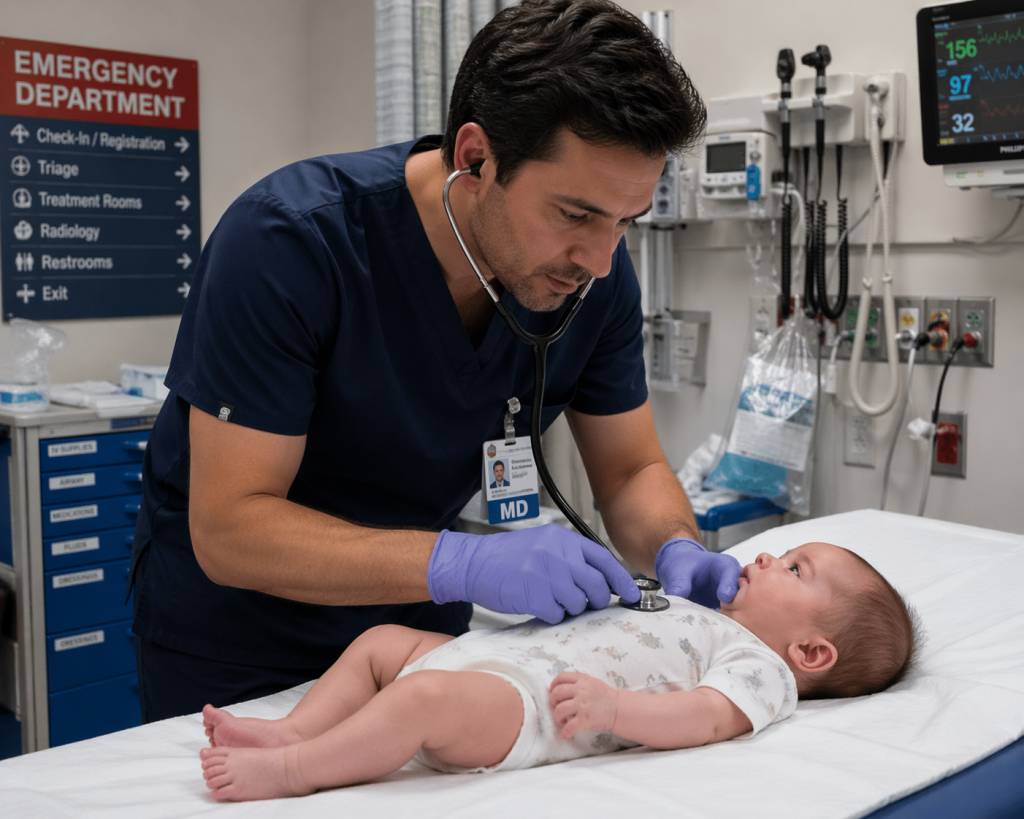 They may not be worth a thousand words, but graphics, including AI-generated images, draw attention to the words you write. Attractive graphics make an important part of your website, blog, social media posts, book covers, or other material needing illustration.
The problem is that, if you search for free graphics, you may be deceived. When some sites advertise “free,” they really mean “license-free.” Go to download an image, and you’ll find that you will have to pay for it.
It’s often a small amount, like $3.00, and it can be less if you get a monthly subscription, but if you write eight blogs a month, for example, you can find yourself spending several hundred dollars a year on graphics, and that’s unnecessary. If you download a graphic and realize later on that it isn’t appropriate for your project, you don’t get to return it.
I’ve identified and used the following resources. Some are totally free; you can find high-quality free images on others with a little effort.
Really Free
The Library of Congress
If you live in the U.S., your taxes pay for this invaluable service. Why not use it? (This remark isn’t intended to discourage anyone from another country to use it.) You can get free images.
You can watch this video to learn how to navigate the site. I recommend that you bring up the site while you watch it so that you can follow the navigation. Using the directions, I was able to find an image of a nurse during the Civil War, a suffragists’ march, and other images probably available nowhere else.
Wikimedia Commons
Part of a suite of services that includes Wikipedia, this site is my first choice for hard-to-find graphics. Here, I also found images of nurses from the Civil War and photos of Clarence Darrow and William Jennings Bryan during the Scopes (evolution) trial in 1920. Moving to a different topic, I searched for waterfall photos and found some beautiful images.
Take some time to explore this site. It has images and videos. Go here for images. Category:Images – Wikimedia Commons and go here for video footage. Category:Videos – Wikimedia Commons. It even has listings of free music. Commons:Free media resources/Music – Wikimedia Commons
In terms of giving photo credits, there’s no one size fits all. For many, you only need to credit Wiki Commons. Others require naming the photographer, sometimes with a link to the individual’s site. Be sure to carefully read the rules.
Generally, for both the Library of Congress and Wikimedia Commons, do take the time to see what’s available and how to most effectively navigate the sites. Then, when you need an image, you can do so efficiently.
Mostly Free
The royalty-free image sites make their money by enticing you to download the highest quality images at the top of each page. There is often a subtle distinction between the free and paid images. They also display rows of images to buy on the top and bottom of a search page.
Unsplash used to be my favorite images site. Then they introduced a paid option, Unsplash +. The problem I have is that the +, an image in usually the upper left-hand corner, isn’t always easily visible. I’ll click on it and find that I have to buy it.
They do have beautiful images, but the + ones are far superior to the free ones.
Pixabay
Overall, I prefer Pixabay to Unsplash. As with Unsplash, their sponsored images are clearly displayed at the top and bottom of each search page. They seem to have a wider range of free images, and they have a lot of medically-oriented images.
Both sites require an attribution for the artist, and this is easy to locate and paste below the image.
Other Graphics Sites
Here are some additional royalty-free sites:
Pexels.com (join the site) (they have images and videos)
Pixabay.com (join the site) (they have images, videos, and music)
Burst.shopify.com (get high or low resolution images)
Vecteezy.com (get unlimited downloads of images, videos, for $108/year after a free trial)
Gratisography.com (whimsical images)
Kaboompics.com (get free downloads)
Canva.com (free and Pro plan)
Stocksnap.io (join the site for images
AI-Generated Images
ChatGPT underwent an overhaul of its image generation software in early 2026 and is now producing amazing images. It also withdrew its video software, Sora, just six months after introducing it. Although OpenAI did not give a reason for pulling it out of consumer hands, it said it was part of its efforts to streamline its services.
I’ve used ChatGPT to create images from scratch such as the one at the top of this blog, as well as alter existing images.
Do you have an image site that you love? Please share it in the comments.
 Pat Iyer MSN RN LNCC is president of The Pat Iyer Group. She has almost forty years of experience developing resources to assist LNCs in obtaining more clients, making more money, and achieving their business goals and dreams.
Have you heard the most recent podcasts on Legal Nurse Podcast? The show is in its 10th year, putting it in the top 1% of all podcasts for its longevity. Watch our podcast on YouTube at http://LNC.tips/YouTube.
Join our Facebook group, LNC Business Growth Circle, to be part of our LNC community.
Pat’s related websites include the podcasts broadcast at podcast.legalnursebusiness.com, and writing tips supplied at patiyer.com. Pat’s latest books are AI-Powered Video for LNCs: A Guide to Visibility and Growth book and workbook. Order at this link.
Get all of Pat’s content in one place by downloading the mobile app, Expert Edu at www.legalnursebusiness.com/expertedu. Watch videos, listen to podcasts, read blogs, watch online courses and training, and more.